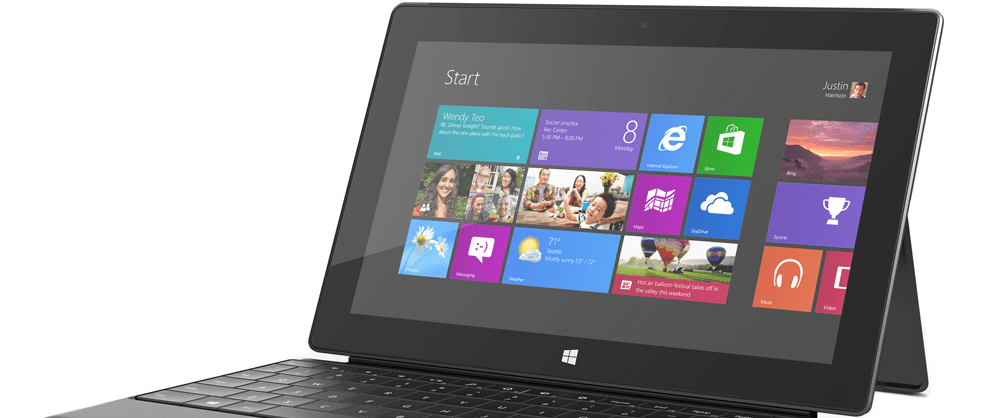
 I have been playing with Windows 8.1 on my Surface Pro for the last couple of weeks and one of the things I’ve been curious about is the new Snap functionality. I remembered hearing at Build 2013 that a 1920×1080 screen could snap three different apps at the same time, but I wasn’t able to do so on my Surface Pro, which runs at 1920×1080.
After doing some searching online, it appears that others have been asking about this as well. After reading a few of the threads, I wasn’t able to find the answer to this quandary so I thought I’d write a quick post to explain what’s going on.
[pullquote]A 1920×1080 screen could snap three different apps at the same time, but I wasn’t able to do so on my Surface Pro.[/pullquote]
While it’s true that Windows 8.1 supports three apps in snap mode when you have a 1920×1080 screen resolution, the default scaling for the Surface Pro (and possibly other smaller screened devices) is larger than normal. This makes the on screen elements display at a reasonable size for the high resolution, small-sized screen. Unfortunately, the larger scaling size also causes Windows to reduce the number of apps that can be snapped to two.
If you truly wish to be able to snap 3 apps on your Surface Pro (or other small-screened, high resolution device), you’ll need to go into the new modern control panel and change the scaling size to “Smaller”:


Unfortunately, this has the side effect of making everything really too small to work with for most people on a Surface Pro. Larger external monitors will likely have the scaling set to the smaller size automatically, so you if you’re using an external monitor or a larger laptop with a 1920×1080 screen you should be able to snap three apps.
Personally, I will be leaving my scaling setting at “Default” and dealing with the limitation of only being able to snap two apps.


 Twist: On Tech (and more)
Leave a reply to Bonita L. Roberts Cancel reply